
Be GISer Geoprocessing Tools
Smart Arabic Keyboard Text Corrector
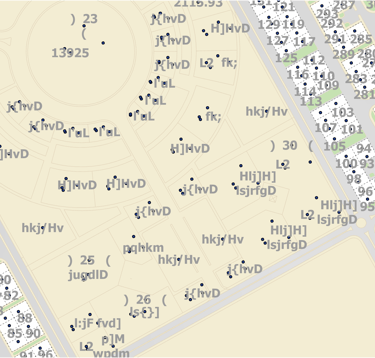
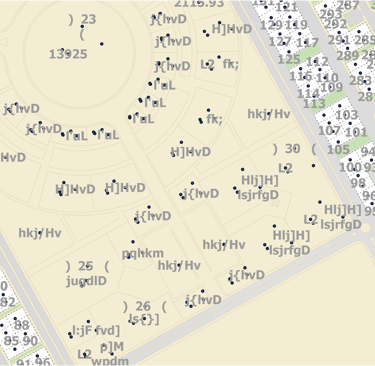
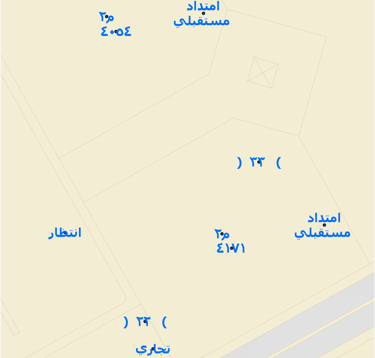
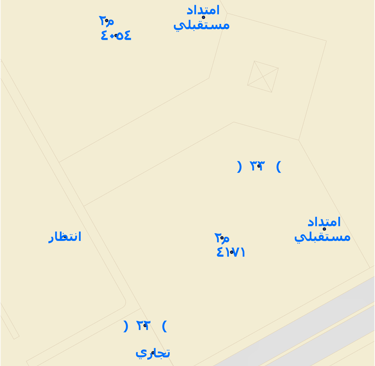
Smart Arabic Keyboard Text Corrector is an ArcGIS Pro analysis tool designed to automatically fix Arabic text that was incorrectly typed using the wrong keyboard layout during data creation or conversion workflows (especially AutoCAD to GIS). The tool converts unreadable or mixed-language text into proper Arabic by applying accurate keyboard character mapping, correcting text direction issues, and fixing parentheses and numeric order. It ensures clean, readable, and standardized Arabic attribute data without modifying the source files.
This tool is especially useful in data conversion, QA/QC, and data cleaning processes where Arabic annotations, labels, or attribute values appear corrupted after import.
Key Features
Converts incorrectly typed keyboard text into proper Arabic
Fixes parentheses direction ( ( ) ) in mixed RTL/LTR text
Preserves numeric values and supports Arabic or Western digits
Works directly on Feature Classes inside ArcGIS Pro
No manual editing required
Ideal for AutoCAD to GIS conversion workflows
Use Cases
AutoCAD Annotation to GIS Feature conversion
Arabic GIS data cleaning and QA/QC
Municipal, utility, and infrastructure projects
Preparing clean attribute data for maps and reports